Prioritizing Workforce Risk Signals
Work starts with clear priorities. If you opened this from the Workforce Risk Management home page, use it as a companion checklist while you tune how your team ranks risky users before you widen controls or add another generic training block.
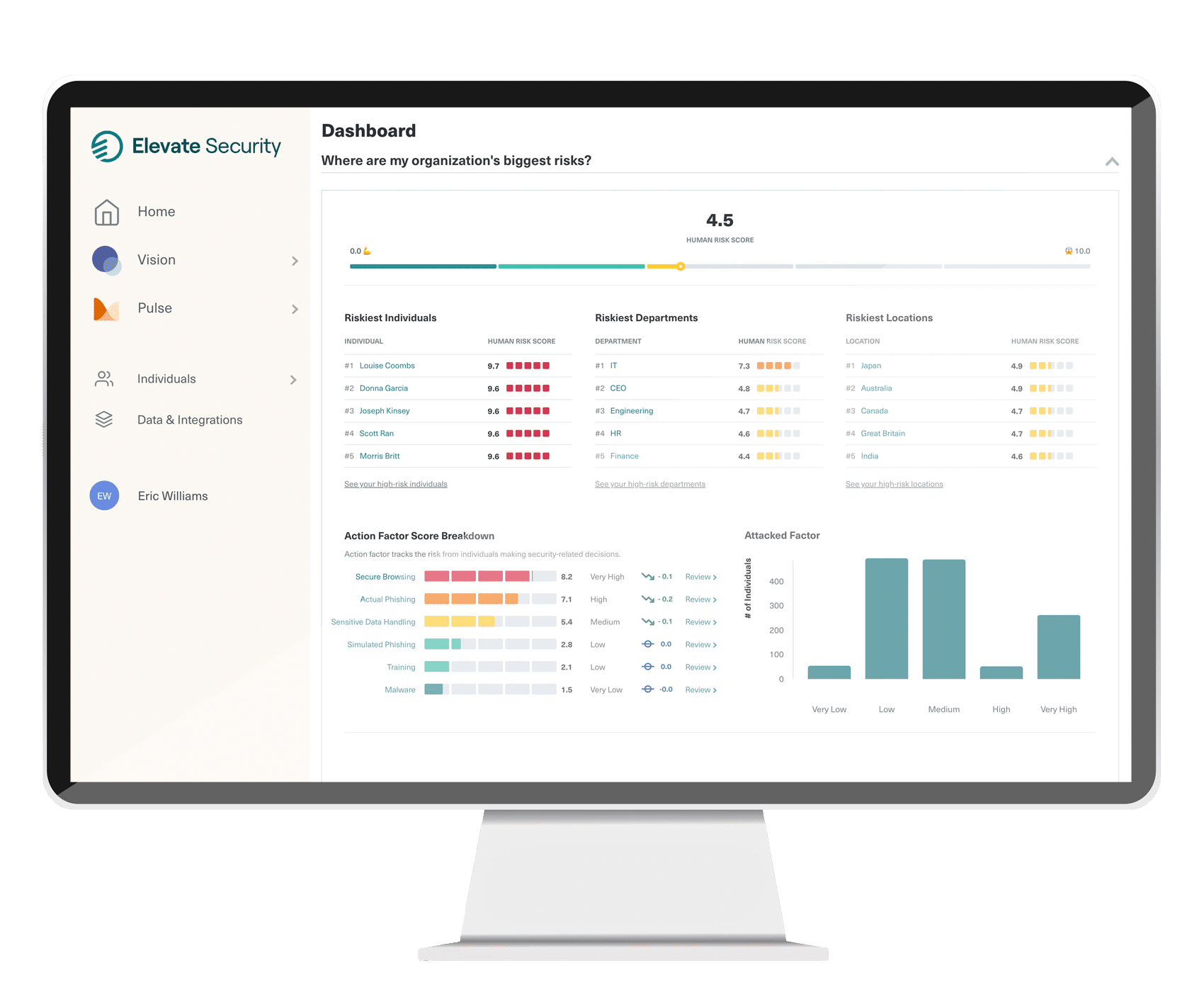
Most security programs already log plenty of events. The gap is deciding which signals deserve a human review this week, which ones can feed automated safeguards, and which ones should trigger a short coaching moment instead of a punitive email.
1. Why ordering signals matters
When every alert looks urgent, teams burn hours on noise and managers lose trust in the data. A simple ordering model keeps identity, SOC, and awareness teams aligned on the same short list of accounts that actually drive incident volume.
2. Five signal groups to review first
- Repeat phishing friction. Track users who miss realistic simulations, then show improvement after targeted nudges. Pair that history with reported suspicious mail to see who needs adaptive mail controls rather than another all-staff video.
- Device and browser hygiene. Outdated agents, disabled disk encryption, or risky extensions often precede malware. Treat these as early warnings, not vanity metrics, and tie fixes to help desk tickets people can complete in minutes.
- Safe data handling. Monitor exfiltration attempts, unusual uploads, and policy violations on collaboration tools. A single mistake here is worth more than a dozen passed quizzes.
- Authentication stress. MFA fatigue, password resets, and impossible travel flags highlight accounts attackers probe first. Feed these signals into conditional access and step-up prompts instead of static role rules alone.
- Peer contrast. Compare similar roles and departments. Large gaps between teams with the same tools usually mean a process problem, not a personal failure, and that is where process owners should get involved.
3. Turning the ranked list into action
Share the ranked view weekly with SOC leads for triage tuning, with IAM owners for policy updates, and with business partners for communication tone. Keep the list small enough to fit on one screen so executives can see movement week over week.
For product depth on coaching and measurement, read how Elevate Engage ties behavior science to workforce programs. For the platform story, see why teams start with our platform story and how the company builds for human risk.
4. Keeping the program fair
Document why an account landed on the list, what changed when someone improved, and when a control rolls back after good behavior. Transparency reduces rumor mills and keeps HR partners confident that reviews focus on safety, not surveillance theater.
Return to the Elevate Security home page for product overview, customer proof points, and demo requests.